Okay today I managed to accidentally trigger “locked” function keys on my rather new M70 RK Royal Kludge. There is a modifier hotkey for this that I didn’t know of before (FN + LEFT CTRL) and I was lost for a hot minute how to turn it off again. Ah well, we’re still getting to know each other.

Anyway, I know from a previous attempt that RKGaming offers a webapp to configure the keyboard (especially it’s macro keys) on https://drive.rkgaming.com/. This works to this date only in Google Chrome (Webserial in Firefox is coming though). Here we can click a button and connect to the wireless receiver and… nothing. Ah yes, we’re on Linux PC and random browsers shall not write to our hardware devices. This is in principle a good idea and I did encounter this before with my Viture XR glasses so I had an idea where to start poking.

First things first: Confirming my theory I checked the browser console and sure enough it was not allowed to open the device:

[HID] Selected device: 2.4G Wireless Receiver vid=0x3554 pid=0xfa09
index-JWjn01Gh.js:1 NotAllowedError: Failed to open the device.

There is also this special chrome://device-log/ address in Chrome that has some more details:

HIDEvent[12:08:56] Failed to open '/dev/hidraw10': FILE_ERROR_ACCESS_DENIED
HIDEvent[12:08:56] Access denied opening device read-write, trying read-only.

With this information we do have the Vendor ID (0x3554) the Product ID (0xfa09) and the subsystem (hidraw) in question. This is btw the dmesg output for the connected device, confirming what we know already:

new full-speed USB device number 17 using xhci_hcd
New USB device found, idVendor=3554, idProduct=fa09, bcdDevice= 1.02
New USB device strings: Mfr=1, Product=2, SerialNumber=0
Product: 2.4G Wireless Receiver
Manufacturer: CX

And a quick check on /dev/hidraw10 confirms that we simply to not have permission to read or write to this hidraw device, since it belongs to root.

crw-rw----. 1 root root 241, 9  8. Jun 12:05 /dev/hidraw10

Now a quick and dirty fix for the current session would be to simply change the ownership of that device but I really want this to stick around after the next reboot so I created the udev rule file /usr/lib/udev/rules.d/72-rk-royal-kludge.rules:

# Udev processes rules in alphabetical/numerical order. The actual
# application of the uaccess tag happens in systemd's built-in
# 73-seat-late.rules so make sure this is run *before* by saving 
# this as e.g. 72-rk-royal-kludge.rules
# uaccess tag means that logind assigns the permissions to users
# dynamically via ACLs according to which session is currently active
SUBSYSTEM=="usb", ACTION=="add", ATTRS{idVendor}=="3554", ATTRS{idProduct}=="fa09", MODE="0660", TAG+="uaccess"
SUBSYSTEM=="hidraw", KERNEL=="hidraw*", ATTRS{idVendor}=="3554", ATTRS{idProduct}=="fa09", MODE="0660", TAG+="uaccess"

Changes in such files have to be reloaded with e.g. udevadm control --reload. After that… nothing happens. This is because the device exists already so it’s time to unplug that receiver briefly. Now udev kicks in and creates the device files with the new rules applied. There is now a slight difference:

crw-rw----+ 1 root root 241, 10  8. Jun 12:34 /dev/hidraw10

The “+” indicates additional ACL rules. If you did not know about ACLs before: Oh boy, you’re in for a ride. Anyway, I confirmed that I now have access to this by checking the ACLs with e.g. getfacl /dev/hidraw10

# file: dev/hidraw10
# owner: root
# group: root
user::rw-
user:beko:rw-
group::rw-
mask::rw-
other::---

And presto. My user beko has read-write access. Another visit to https://drive.rkgaming.com/ yields a far better result:

[HID] Selected device: 2.4G Wireless Receiver vid=0x3554 pid=0xfa09
index-JWjn01Gh.js:2388 Device [2.4G Wireless Receiver] is open

Now I can configure my keyboard on Linux PC via a gorram web application like any other cool kid in 2026. I say this because the app will probably have a half-life of 2 years and stop working soon enough again.

What a time to be alive.

Having an action webcam strapped with bow ribbons to my XR glasses grinning mad into the smartphone cam. A bunch of wires are also strapped to the glasses.
Video: How to get 6DOF with older 3DOF XR glasses using Breezy and OpenTrack

Breezy can now turn a 3DOF (degree of freedom) device into a 6DOF device by augmenting the missing positional data from a webcam. Spoiler! It is not the cam strapped to my face – this is just for the demo you can watch here, on PeerTube or YouTube.

The cam, that I used for this task, is sitting on my monitor. How this works? Well not with magic! This requires a somewhat decent webcam – really anything from the last decade should suffice – and OpenTrack, of course.

OpenTrack is a head-tracking application with multiple tracker plugins. One of it’s plugins is the Neuralnet Tracker, an AI powered extension that comes with a bunch of different head pose models to choose from. With a webcam connected this can now locally run the detection model with very low latency – so it’s usually blazing fast on most systems!

This alone is already 6DOF and is used a lot for gaming already – so what does Breezy do with this? Simple! It reads the forwarded data via an UDP listener, a very quick way to transmit data on a local network or system [and complements it’s own rotational data with the missing positional data].

With this a Breezy user still gets the rotational data from the XR’s very sensitive IMU, that is short for Inertial Measurement Unit btw, and the not so important positional data sent from OpenTrack.

This works of course only while the webcam can still see the user. So sadly no walking around while using this.

And the best thing? It can also send the data back! This means that the very same combined values can be forwarded – e.g. to a computer game – benefiting from the best available data sources for rotation and position.

That’s not the main use case, of course, and only of importance for some nerds like myself. This is mostly relevant for the productivity features of Breezy, because sometimes a text may be too small to read with the glasses on. We do no longer have to increase the font size – we can now simply lean in! That is a feature that is usually only available with glasses, that come with little cameras of their own, so they can have native 6DOF support. And when I say native I mean that such glasses usually also outsource exactly this calculation to the connected computer. It’s my understanding that this seems to require a lot of computation power, which is something many XR users with the more modern devices complain about.

Well not so much with OpenTrack and the Neuralnet tracker, that utilizes the ONNX runtime under the hood. That’s a high-performance, cross-platform engine to power exactly such models locally. The runtime automatically makes use of the best available hardware acceleration, if there is any.

Overall I’m rather hyped about this feature – especially because I’m using the OpenTrack output option of Breezy for quite some time now, to get a VR like experience with stereoscopic 3D rendering in Side-By-Side mode. I can now keep using my older XR glasses and still enjoy this more modern 6DOF feature. This is rather expensive hardware after all.

And all that on Linux PC!

Breezy xr_driver: https://github.com/wheaney/breezy-desktop by https://www.youtube.com/@WayneHeaney

Official Announcement XR desktop with 6DoF + multiple displays: https://www.youtube.com/watch?v=eFLmjpjF-rA

Music “Life’s Worth Dying For” CC BY-SA 3.0 “LostDrone”. Licensed to the public under https://creativecommons.org/licenses/by-sa/3.0/ Verify at https://soundcloud.com/lostdrone/rock-lostdrone-lifes-worth-dying-for-free-download-and-creative-commons-license

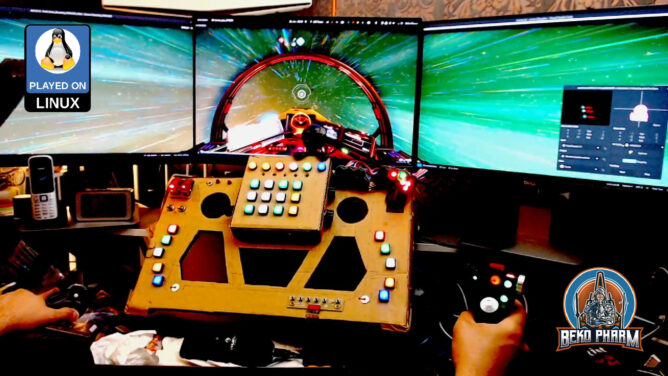
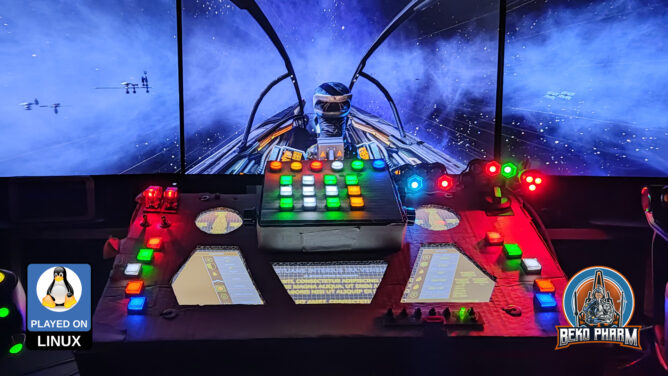
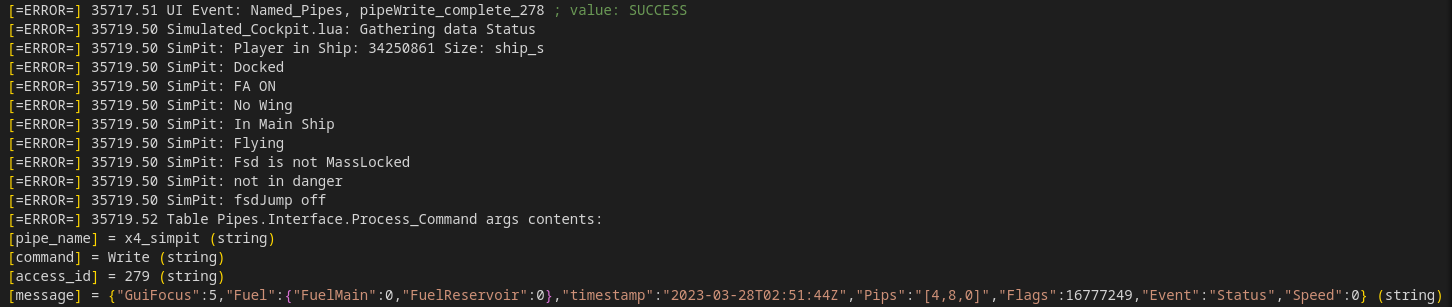
So what happens when sheer stubbornness, a glorified button box, Ace Combat and the Unreal Engine Scripting System meet? Pure magic. I got the game to spew out a constant stream of telemetry data and events in search for more immersion in my VF-1 inspired home cockpit. The approach is the very same that I used for X4 Foundations before: Side load lib Luasocket, get a network connection established and start dumping extracted game data to it. This is highly experimental and the result of hacking away for the last ~4 nights. This video demonstrates the results:

https://makertube.net/w/cbXJAveVgVTGVEi58akVTA / https://www.youtube.com/watch?v=50J-gjkgJxE

To be perfectly clear: I am aware that Ace Combat is not a “flight sim”, not really worth of an API, and I know that DCS or BMS does it better and in greater detail and even with realism. This is not the point. I started working on this just for fun and to satisfy my own curiosity to see *if I can make it*. This may be hard to believe but chipping rocks together until the computer does what I want is “quality time” for me 🤓

You may have noticed that I’m a Macross fan and that my SimPit is heavily inspired by a VF-1 Valkyrie and that I usually use a modded VF-1 plane in AC as well. This is my personal substitute for the lack of any decent Macross / Robotech game since Macross VOXP.

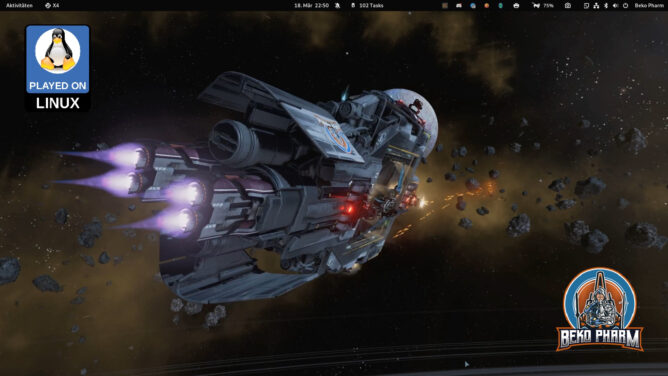
This said I usually fly Space Pew Pew games with this cockpit so everything you see going on is designed for _space_ and not for flight sim. This is also why I sometimes talk about “ships” or “docked”. This is wording found everywhere in my plumbing pipeline for telemetry. All games I play, that can use this, send their data over this. The idea is that I do not have to rewrite half of the connected systems for every game so I transform the data into a unified format before.

You can read more about this on the dedicated project website https://simpit.dev (and here, of course). I will soon update it with some more details for Ace Combat. If this looks like something you’d like to try let me know, I’d love to connect. I’m active on various social media. Please do let me know if you find this inspiring.

The (demo) was sitting in my backlog for a while now. Last time I tried I was not able to really start but most of the menu navigation issues with joysticks are fixed now. In fact it accepted any joystick I threw at it.

Bindings menu listing a lot of connected input devices and offers remapping and calibration for each

It also supports ultra wide screen, runs smooth af and just works™ with Proton. There is really not much else I can ask of a space pew pew [indie]game in 2025. Well mayhap OpenTrack UDP support but let’s not nitpick 😀

Display menu with various ingame features like resolution, FPS lock and counter

Can’t say much about the story, since the demo doesn’t feature much of any. I got to see some neat features, like landing on a carrier, which required approaching through a virtual corridor until the carrier snagged me in. There’s also a path to follow during a jump adding a mini game to this procedure as well.

Some sort of fast travel, which is very colourful, requiring the pilot to stay within a specific path.

It also offers the genre typical shield and energy management, boosting and drifting, targeting of subsystems or missiles and counter measures so or players should feel right at home. This goes to my wishlist 🤓

This is Project Wingman mission 01 Black Flag played on a Linux PC with Proton Experimental, OpenTrack with the Neuralnet Tracker plugin and my DIY HOTAS / rudder system based on Arduino Pro Micros replacing the original electronics in my Thrustmaster FLCS/Cougar gear:

Pick your poison: https://makertube.net/w/8MyoVSzDfwMuQR6bCqtbie / https://www.youtube.com/watch?v=dq0sihlgW_Y

I got Project Wingman on a sale months ago and I finally gave it a try. As an Ace Combat player I felt right at home. My initial experiment was with the XR glasses and woah that feels good in 3D and all but today I remembered that old Plasma TV in the basement. Got it second hand a year ago for dead cheap. Today I brought it upstairs to try it with the ViperPit and now I’m not sure what’s more awesome.

Well, that is if I feel like burning ~470W on top for that thing but hey this is for very specific gaming sessions only anyway 🤷

Guess I’ll spend more time in the ViperPit again 😀

Played (closed) Alpha with my inspired . I’m simply in awe that I can replay missions from (or ) with more modern graphics and modern interface devices again. I spent _so many_ hours playing these games as a kid.

This is the heavily cut VOD of the live stream over at @bekopharm@live.famkos.net (pick your poison):

https://makertube.net/w/r1LRrqDWnhw4wRk92uNfzo /
https://www.youtube.com/watch?v=9T2jxqT_5sU

This time I play with the native Linux version and my X52 Pro joystick (which means I actually have a chance of hitting stuff too). The following missions were played:

Historical Mission 2 / Wingmen Are Important
Historical Mission 3 / Sattelites Near Coruscant
Historical Mission 4 / Beating The Odds
OP 1: Destroy Imperial Convoy (Uncut)
OP 2: Reconnaissance Mission (Uncut)
OP 3: Fly Point During Evacuation (Uncut)
OP 4: Protect Medical Frigate (Uncut)

XWVM is not an official product from Lucasfilm Ltd. or Disney. It is not endorsed or authorized by either. It is a fan recreation of the game engine used to play X-Wing and TIE Fighter for the sake of accessibility and requires the original game assets to work.

Kudos to the XWVM team, they are doing a stellar job here.

The dedicated project website for the Macross inspired SimPit is https://simpit.dev

Played (closed) Alpha with my ViperPit and with glasses. I’m simply in awe that I can replay missions from (or ) with more modern graphics and modern interface devices again. I spent _so many_ hours playing this as a kid.

This is the heavily cut VOD of the live stream over at https://live.famkos.net (pick your poison):

https://makertube.net/w/hW6cJeqBY42YoryJL1gRg5 /
https://www.youtube.com/watch?v=8at4P5rf-gE

I go over the input settings and show it’s capabilities to connected various joystick devices, demo the Proofing Grounds and showcase mission 1+2. In the end I go over various settings for the XWVM engine and how the machine hardly sweats displaying the gorgeous cockpit.

XWVM is not an official product from Lucasfilm Ltd. or Disney. It is not endorsed or authorized by either. It is a fan recreation of the game engine used to play X-Wing and TIE Fighter for the sake of accessibility and requires the original game assets to work.

The game was played with Pro XR running in Side-By-Side mode thanks to ReShade on a Linux PC.

Kudos to the XWVM team, they are doing a stellar job here.

So I was asked if my head tracking approach of reading the IMU data from my Viture Pro to OpenTrack and SBS (side-by-side) mode with ReShade would also work with StarCitizen.

Guess it does 🤷

Pick your poison to watch the video: https://www.youtube.com/watch?v=rWUC2Y3TRh4 / https://makertube.net/w/8L7gVN8NnLvjhQCPGNmd6W

I start Star Citizen via Lutris (and not with Steam), which requires slightly different settings once ReShade is installed:

Enable Gamescope: ON
Output Resolution: "3840x1080"
Game Resolution: "3840x2160" (set this also ingame!)
Custom Settings: "--scaler stretch"

Can this get you banned? Who knows 🤷 Jury is still out on this. Do I care? Nope. I won’t miss my puny starter pack.

YMMV.

The proof of concept code to read the IMU data can be found at https://github.com/bekopharm/xr_to_opentrack (pending changes).

It works with the Breezy GNOME xr_driver: https://github.com/wheaney/breezy-desktop (but the Vulkan one works probably too but that’s untested). It should also be compatible with other glasses that have IMU for Breezy available.

There is an unlisted SBS version of this video linked in the description. You will need XR glasses that do FULL SBS though to watch it!

Until now I used OpenTrack with my DIY IR tracker or the Neuralnet tracker. I knew that my XR glasses feature IMU data though and the xr_driver of the Breezy Desktop project allows to access the data via IPC on Linux PC. So I did what Linux user do: I wrote a script to access the IMU data and forwarded it via UDP to OpenTrack:

Pick your poison to watch the video: https://www.youtube.com/watch?v=njuumLUvqrM / https://makertube.net/w/2bNyxJhdyydTeFq17onikv

This reminded me that I also wrote a proof of concept to implement the FaceTrackNoIR (or OpenTrack) protocol into FreeSpace 2 Open on Linux PC ( https://makertube.net/w/7VtfAjW7EiAUS5aiPwG7if ) so I gave it a spin to test the data bridge. That was smooth sailing!

The mod is Diaspora: Shattered Armistice, still awesome today: http://diaspora.hard-light.net/ (Warning: This may fuel a desire to re-watch the BSG series again 😀).

The bridge code can be found at https://github.com/bekopharm/xr_to_opentrack (pending changes).

It works with the Breezy GNOME xr_driver: https://github.com/wheaney/breezy-desktop (but the Vulkan one works probably too but that’s untested). It should also be compatible with other glasses that have IMU for Breezy available.

Update: hodasemi wrote a Rust connector based on the idea that works without Breezy: https://github.com/hodasemi/xr_to_opentrack_rs – comes with a systemd service file so it can run in the background. Once installed the only step left to do is fire up OpenTrack 🤘

I know most of you won’t care or see why this is of interest but I got another game, this time No Man’s Sky, working in (side-by-side) mode using [on Linux PC] 🤓

https://www.youtube.com/watch?v=_VGv_h097mI

Steam start parameters are a little bit different though, once ReShade was configured for Vulkan:

WINEDLLOVERRIDES="d3dcompiler_47=n;vulkan=n,b;vulkan-1=n,b"  gamescope -h 2160 -w 3840 -H 1080 -W 3840 --scaler stretch -f -e -- %command%

Apparently there is an open bug for ReShade and Vulkan via Proton but frankly I didn’t quite get the details – it just worked for me: https://github.com/kevinlekiller/reshade-steam-proton/issues/6 – YMMV.

As usual: Viture or XReal users can probably just press fullscreen after switching into SBS mode to watch this. Others may need an external player to sort it out – I sure love delivering to the absolute niche of the niche [of yet another niche] 🤷