


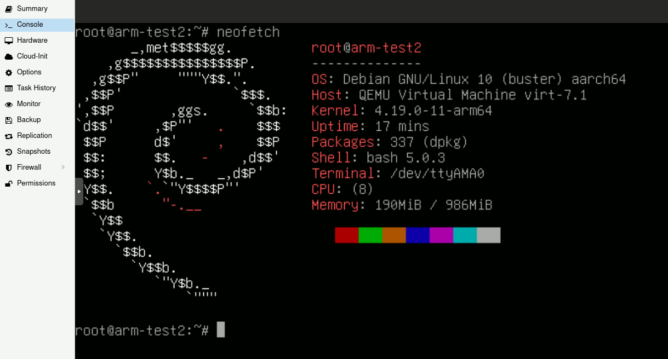
Some time ago I needed a virtual #ARM machine and while I’m not entirely sure any more why that was I did seem to have an inspirational moment and made a template of this. Here is what the #qemu config for #Proxmox _may_ look like:
agent: 1
arch: aarch64
bios: ovmf
boot: cdn
bootdisk: scsi0
cores: 2
efidisk0: misfits-btrfs:501/vm-501-disk-0.raw,size=64M
ipconfig0: ip=192.168.2.251/32,gw=192.168.2.1
memory: 1024
name: arm-test2
nameserver: 192.168.2.1
net0: virtio=96:79:F4:02:A1:6B,bridge=vmbr2
numa: 0
ostype: l26
scsi0: misfits-btrfs:501/vm-501-disk-1.raw,size=8G
scsi1: local:iso/debian-10.6.0-arm64-netinst.iso,media=cdrom
scsi2: misfits-btrfs:501/vm-501-cloudinit.raw,media=cdrom,size=4M
scsihw: virtio-scsi-pci
serial0: socket
smbios1: uuid=63fe535c-1507-4528-8dee-2bd2d59b57f8
sockets: 2
vga: serial0
It makes sense to install the package cloud-init to some stuff can be set from outside of the machine.
…and yes, it’s just as slow as expected from an ARM 🤓
I’m also not entirely sure if this is really officially featured by Proxmox (just like btrfs 🤷) but the machine was doing it’s job without an issue for years and I did just replay the template on VE 7.4 so I guess it’s fine 🤷



@bekopharm now if onyl it could run Android it would be perfect for pentesting 😉
@r3pek dunno about that. I needed it to compile code and make an image of it for this specific platform / dist 🤔